

With Accord’s HubSpot Integration you can enforce execution excellence, and get increased visibility into your team's pipeline.
With Accord’s HubSpot Integration you can enforce execution excellence, and get increased visibility into your team's pipeline.

Generating predictable and consistent revenue requires consistency, predictability, and accountability.
A CRM helps your team manage opportunities, rotate them amongst reps, and internally keeps your team up to date. Hubspot is great for some internal processes, however, your customers do not have access to HubSpot, and there is no way to ensure execution excellence within the platform alone.
So how do you get your team executing consistently on every deal, while building a partnership with your customers and external stakeholders? By keeping reps and customers accountable, and ensuring evaluations and onboardings are on track with a consistent, repeatable, process.
With Accord’s HubSpot Integration you can enforce execution excellence, and get increased visibility into your team's pipeline. With defined deal criteria that syncs directly to your CRM you can say goodbye to inconsistent deal reviews, slipped deals, and unreliable information from reps while improving data quality, and ensuring consistent deal execution.
Accord allows you and your GTM team to drive accountability with clear deal criteria and performance metrics you can inspect, measure, and are native to your HubSpot CRM.
Accord and HubSpot's seamless integration automatically syncs key info, and pushes customer actions and notes to HubSpot. This means you'll have a single source of truth, eliminate manual updates, and empower your reps to focus on what matters most - your customers.
Effortlessly sync customer-validated Accord data to HubSpot for comprehensive reporting, all in one platform. This encompasses vital information such as Customer Health scores, the count of invited customers to your Accords, current deal stage, and more.
Whenever a customer takes an action in your Accord workspace, the event is automatically pushed to HubSpot.
Tip: All current and future notes created by Accord will begin with [Accord: ]
You can use HubSpot's Workflow builder to trigger custom workflows based on events within Accord. For example, if an Accord has completed the Final Partnership Stage, you can automatically move the Deal to the next Stage.
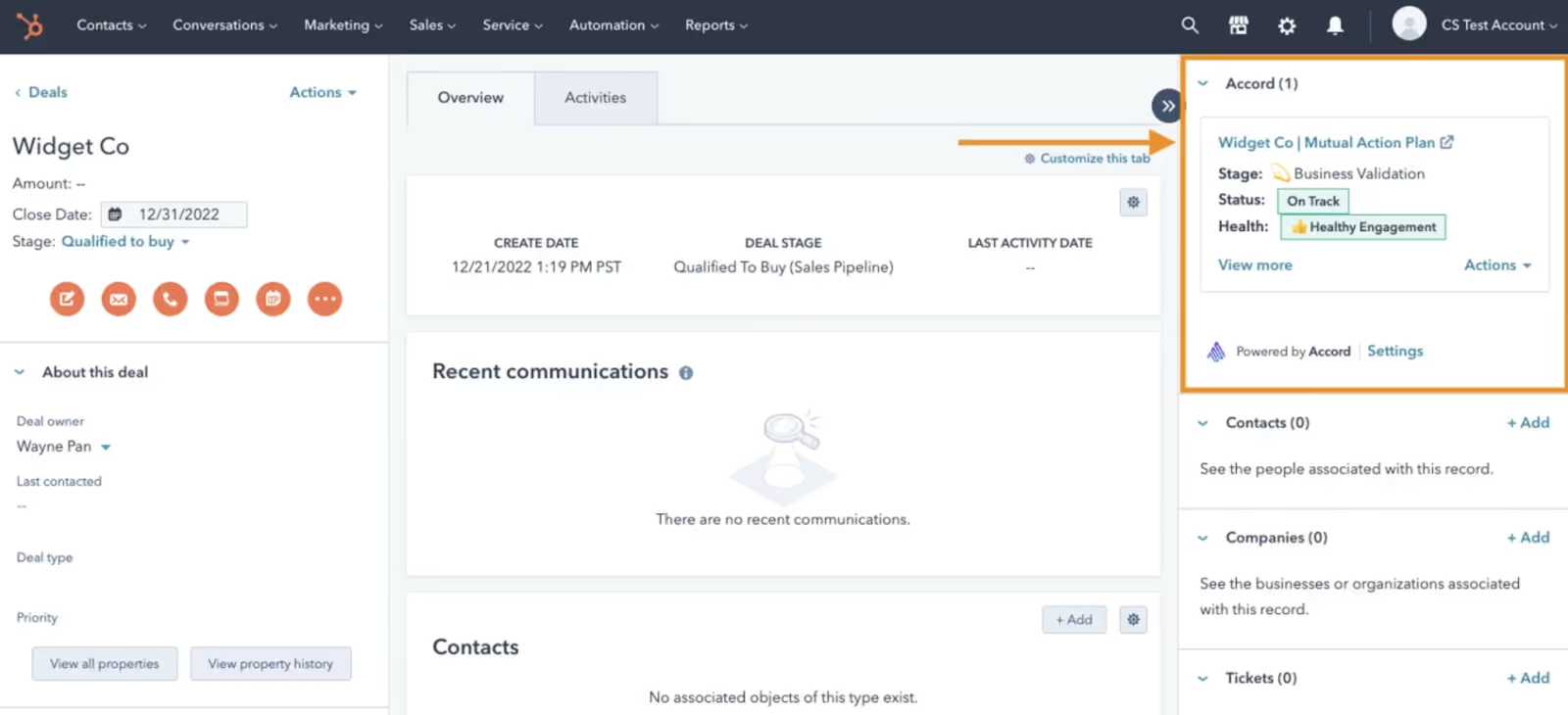
Adding the Accord CRM Card to your HubSpot Deal view lets you quickly understand the status of any deal in Accord without leaving HubSpot.
This card will be automatically installed if any workspace user turns on the HubSpot integration.
Step 1: Select settings in the bottom left-hand corner of your Accord profile. Under Settings and CRM, you will see a Connect your CRM feature. Select a Hubspot account that you want Accord to send information to
Step 2: Configure the Accord widget in HubSpot.
Step 3: Create custom properties in HubSpot so you can push Accord data in to the CRM
Step 4: Set up and configure automations for validation rules, and auto Accord creation.
Looking for technical documentation for the Accord <> HubSpot Integration? Check out our knowledge base, or reach out to the Accord team directly.


.jpg)
