

Accord's partner use case just got a major overhaul. Build custom views in your CMS for every partner, and decide exactly who sees each resource.
.png)
TL;DR: Accord's partner use case just got an overhaul. Build custom views of your library for every partner, and decide exactly who sees each resource. To illustrate what's new, let's examine a typical week for partner and sales enablement at an organization like yours.
It's Friday afternoon. Your enablement team has just finished the new partner pricing list and opens your CMS to share it with your resellers. Previously, the enablement team had two choices: mark it as internal and keep the file locked inside your workspace, where resellers can't open it. Or, mark it as visible to everyone, exposing it to anyone with access to a deal in your workspace, including buyers or other partners who shouldn’t have access.
Unfortunately for your enablement team, neither option works. Your team attaches it to an email and drops a copy in the partner Google Drive folder. The file gets delivered, but the same file now lives in multiple places, leaving your team with no idea which version anyone will actually open. The central source of truth is gone.
Compounding the issue, partners historically lacked a central hub; they could only view resources if a rep invited them to a specific deal. By the next week, when a new reseller starts ramping up, they are entirely lost. They find outdated demo decks in Drive, lose the pricing in their inbox, and inevitably message your team: "Where can I find the pricing?" Your enablement efforts are wasted.
Some form of that scenario is likely a familiar experience for any team running a complex partner program. The content exists and the work is done, but there's nowhere safe to put it, so partners end up selling from whatever asset reached them last.
This release changes how partner content works in Accord. It starts with Restricted Visibility, a new setting that sits between Internal and Everyone, and carries through to how partners use and access Accord, what they see when they login, and how your reps share content inside deals.
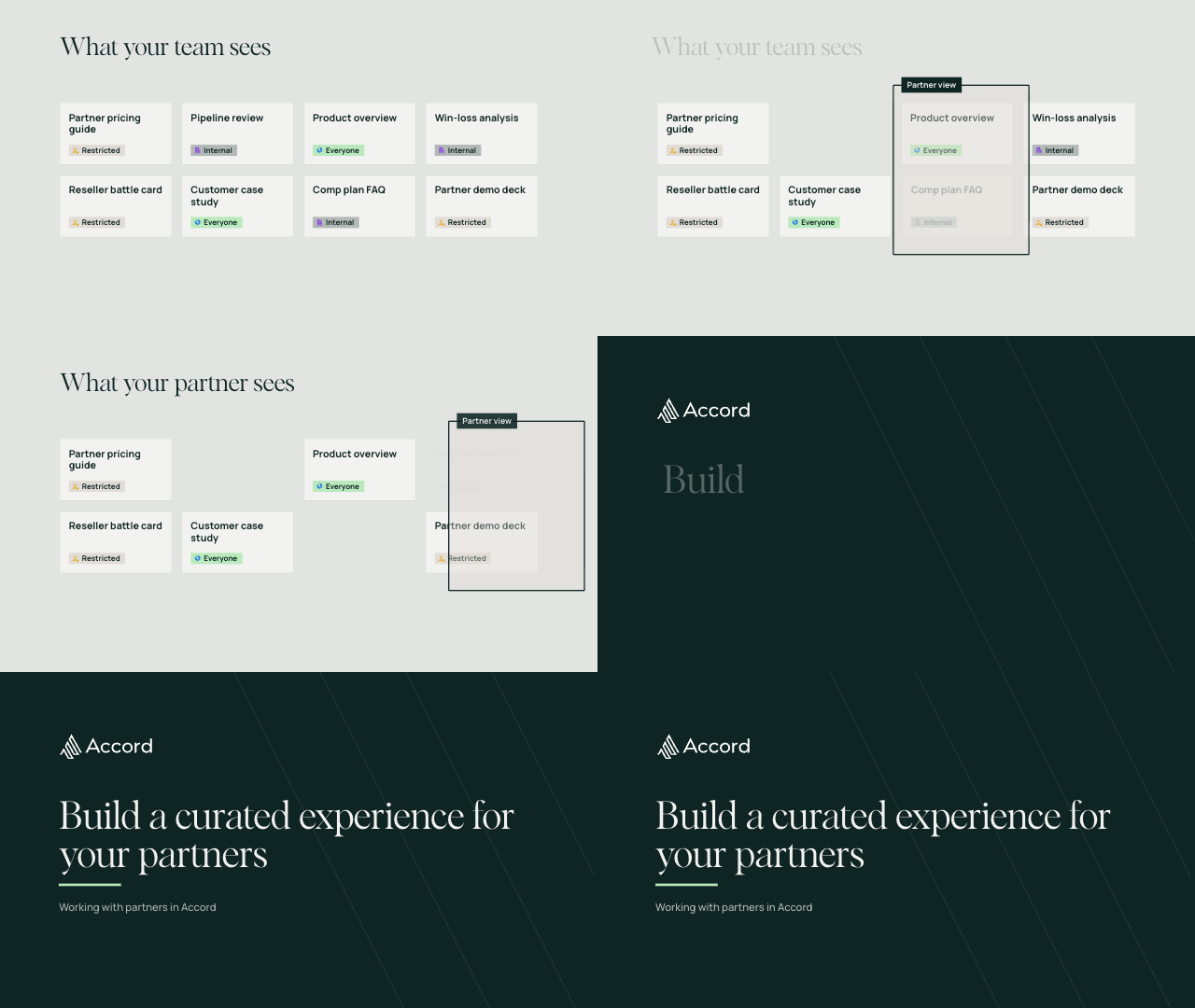
Your partners get the pricing, battle cards and training they need, and your end buyers never see them. Restricted Visibility joins Internal and Everyone on library resources, folders and hubs, so you can share with all partners, specific partner domains, or individual partners. A yellow indicator marks every Restricted resource, and a hover shows who has access.
As a bonus, the same control works inside deals. For resources uploaded to a deal, reps can restrict access to specific buyers. For example, the economic buyer first, procurement when the deal moves forward,and legal at signature.
.png)
Partners stop digging through Drive folders and old email threads for the current deck. They get their own login to a read-only view of your library, with everything marked Everyone, the Restricted content shared with them, and the hubs you open to them. Internal content stays hidden, even in search, so every partner sees a curated library built for their program.
Getting a partner into Accord no longer depends on a deal. Add partners directly to your workspace, in bulk, or let anyone with an approved partner domain join automatically. New partners can start ramping the day they sign.
Now rewind to Friday afternoon. Same price list, same resellers, same deadline.
This time, your enablement team uploads the price list into the "Reseller Partners" folder and logs off on time. Because that folder is set to Restricted Visibility, everything dropped inside automatically inherits those access rules.
When the new reseller logs into Accord the following week, they land in a tailored view of your library. Instead of digging through old emails, they find the current price list immediately. You maintain complete control, and they always have the right assets.
Restricted Visibility and the new partner experience are now available to all customers making use of partner access in Accord.
Stop letting your best enablement materials get lost in messy shared drives and buried email threads. Book a demo today to see how Accord becomes the definitive single source of truth for your entire partner ecosystem.


.png)
.png)
.png)